Appearance
Personalize the look and feel of your chat bubble so it matches your brand identity.
Navigate to Channels > Bubble > Appearance to adjust these settings.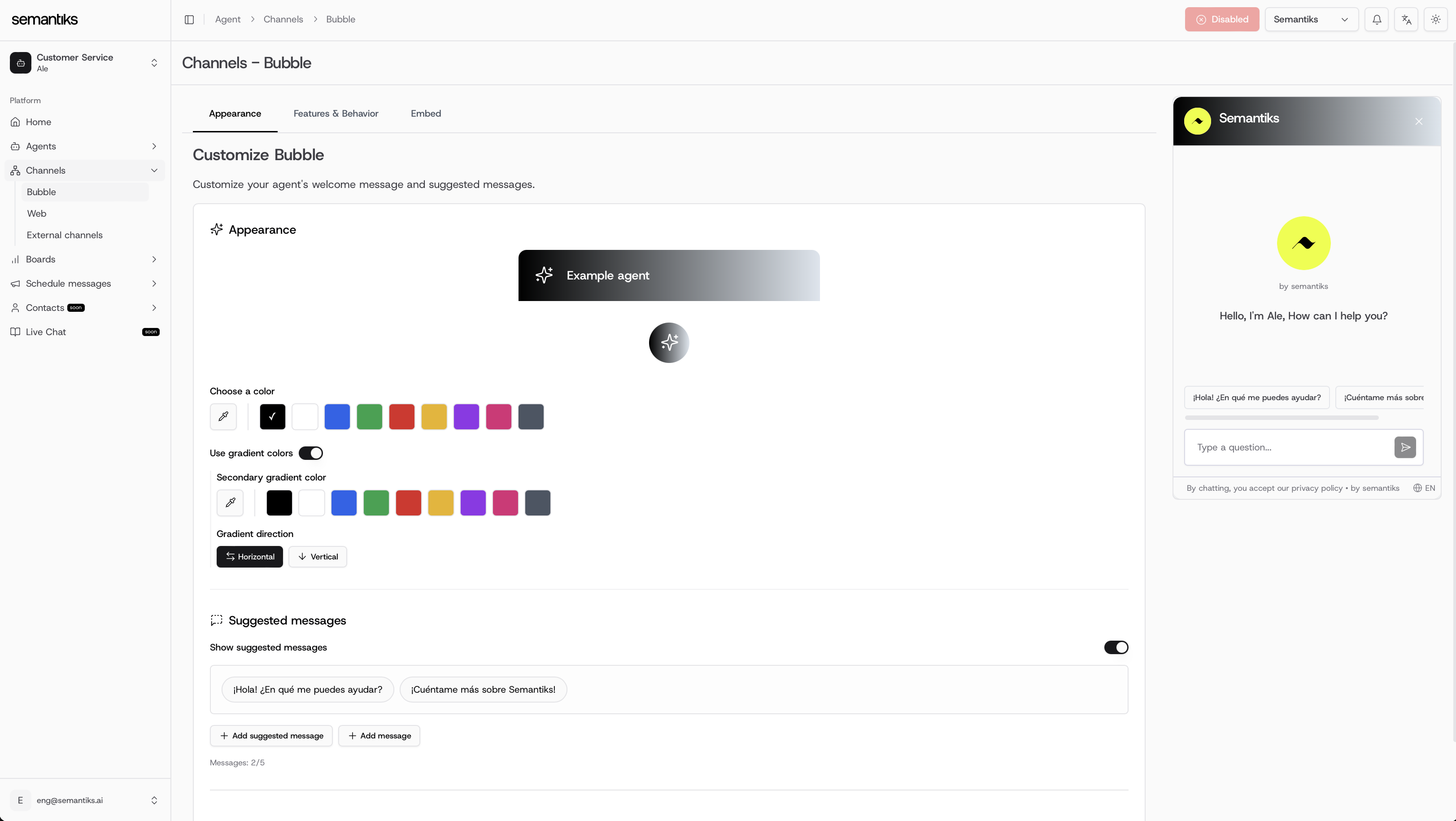
Options available
- Choose a color: Select a solid color from the palette.
- Use gradient colors: Enable gradient mode and select a secondary color.
- Gradient direction: Choose between Horizontal or Vertical flow.
- Suggested messages: Predefine up to 5 quick-start suggestions to help users engage faster.
Preview updates in real-time with the chat bubble widget shown on the right side of the Console.
Features & Behavior (Coming Soon)
This section will allow you to control how the chat bubble behaves once deployed. Expected options include:
- Auto-open behavior: Decide if the bubble should open automatically on page load.
- Idle detection: Trigger proactive messages when users are inactive.
- Language settings: Define default language and multi-language handling.
- Conversation routing: Configure rules for routing to specific agents or departments.
- Business hours: Show or hide the bubble based on your defined schedule.
This functionality is under development and will be available in a future release.
Embed the Chat Bubble
To integrate the chat bubble into your website or app, copy the provided script snippets.
You can find them under Channels > Bubble > Embed.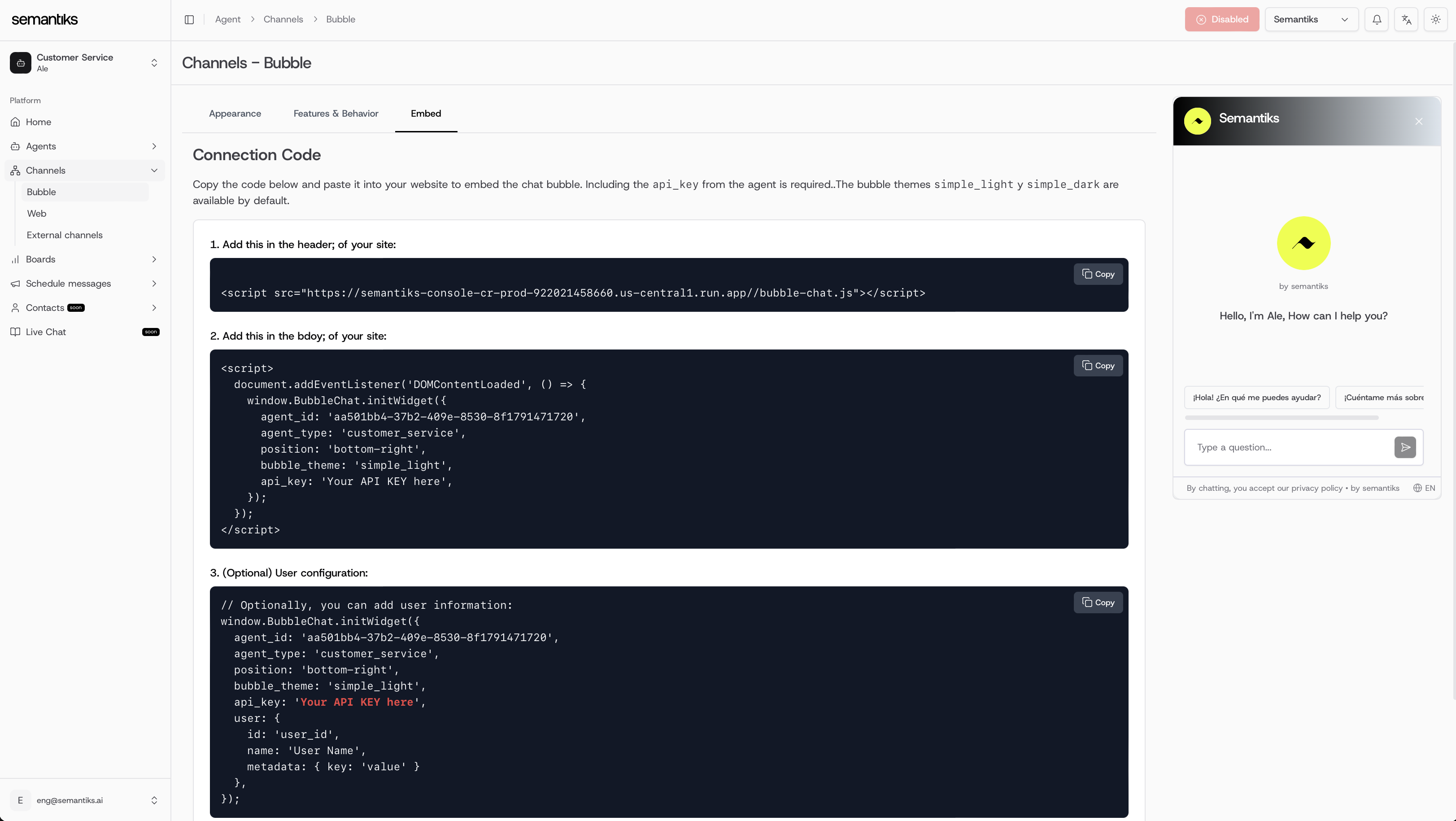
1. Add to the <head> of your site:
<script src="https://consola.semantiks.com/bubble-chat.js"></script>
2. Add to the <body> of your site:
<script>
  document.addEventListener('DOMContentLoaded', () => {
    window.BubbleChat.initWidget({
      agent_id: 'your-agent-id',
      agent_type: 'customer_service',
      position: 'bottom_right',
      bubble_theme: 'simple_light',
      api_key: 'Your API KEY here',
    });
  });
</script>
window.BubbleChat.initWidget({
  agent_id: 'your-agent-id',
  agent_type: 'customer_service',
  position: 'bottom_right',
  bubble_theme: 'simple_light',
  api_key: 'Your API KEY here',
  user: {
    id: 'user_id',
    name: 'User Name',
    metadata: { key: 'value' },
  },
});
Bubble Themes Available
Make sure to replace Your API KEY here with the API key from your Agent.

